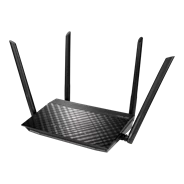
RT-ACRH12
Product Support For
RT-ACRH12Find Another Model
By registering your device, you can easily manage your product warranty, get technical support and keep track of your repair status.
Upgrade Warranty: Here.
* Please note that the availability of the Premium Care product lines might differ by country.
Register Product
  • FAQ
  • Manual & Document
  • Warranty
  • More Service

BIOS & FIRMWARE

  • Driver & Tools
  • BIOS & FIRMWARE

Firmware
ASUS RT-ACRH12 Firmware version 3.0.0.4.382.52497
Version 3.0.0.4.382.52497
14.98 MB
2023/05/25

This model was end of its life, and its firmware, utility, website, and manual will no longer be updated. For more details, please refer to https://www.asus.com/event/network/eol-product/

1.Resolved the instability issue of the guest network caused by the bandwidth limiter.
2.Addressed the problem of the 5G repeater mode being unable to connect with 160 MHz parent AP.
3.Improved the connectivity for iPhones, making it easier for these devices to connect with the router.
4.Rectified the disconnection issue when dual WAN switches to PPTP/L2TP WAN. --Pass
5.Corrected the unsupported issue related to specific 3G/4G dongles.
6.Successfully resolved the compatibility issue with Intel® Dual Band Wireless-AC 9560 5GHz.

Please unzip the firmware file, and then verify the checksum.
SHA256: 3aab95c793fe2e5280905950c3e1536519f3e80ff8c6ba5845c48aa15395617e

DOWNLOAD
SHOW MORE DESCRIPTION
ASUS RT-ACRH12 Firmware version 3.0.0.4.382.52482
Version 3.0.0.4.382.52482
14.97 MB
2021/01/21

- Added UI to enable/disable redirect DNS function in AP/Media Bridge mode.
- Fixed bitrate incorrect issue in the wireless log.
- Fixed WPS issue.

Please unzip the firmware file first then check the MD5 code.
MD5: 5e4d8500cd4186e32a9dbc25de2144cf

DOWNLOAD
SHOW MORE DESCRIPTION
ASUS RT-ACRH12 Firmware version 3.0.0.4.382.52274
Version 3.0.0.4.382.52274
14.67 MB
2020/09/22

- Improved system stability.
- Update language support.

Please unzip the firmware file first then check the MD5 code.
MD5: 0808b20f1122560d35a66c6d41998c84

DOWNLOAD
SHOW MORE DESCRIPTION
ASUS RT-ACRH12 Firmware version 3.0.0.4.382.52272
Version 3.0.0.4.382.52272
14.67 MB
2020/07/23

Security update
- Fixed DDoS vulnerability.
- Fixed command injection vulnerability.
- Fixed buffer overflow vulnerability.
- Updated OTA function.

The update server transport layer security was upgraded and the old protocol was removed.
Please refer to the "Update Manually" section in https://www.asus.com/support/FAQ/1008000 to update the firmware.

Please unzip the firmware file first then check the MD5 code.
MD5: c2b4766f2dfe7c0f666b3e383656d186

DOWNLOAD
SHOW MORE DESCRIPTION
ASUS RT-ACRH12 Firmware version 3.0.0.4.382.52107
Version 3.0.0.4.382.52107
14.85 MB
2020/03/09

- Fixed 5G high band issue.
- Improve system stability.
- Support 3G/4G USB dongle.

Please unzip the firmware file first then check the MD5 code.
MD5: 83e1dc5341efb921305a581d23b710c6

DOWNLOAD
SHOW MORE DESCRIPTION
Show all
  • Products certified by the Federal Communications Commission and Industry Canada will be distributed in the United States and Canada. Please visit the ASUS USA and ASUS Canada websites for information about locally available products.
  • All specifications are subject to change without notice. Please check with your supplier for exact offers. Products may not be available in all markets.
  • Specifications and features vary by model, and all images are illustrative. Please refer to specification pages for full details.
  • PCB color and bundled software versions are subject to change without notice.
  • Brand and product names mentioned are trademarks of their respective companies.
  • The terms HDMI and HDMI High-Definition Multimedia Interface, HDMI trade dress and the HDMI Logos are trademarks or registered trademarks of HDMI Licensing Administrator, Inc. in the United States and other countries.
    • The actual transfer speed of USB 3.0, 3.1, 3.2, and/or Type-C will vary depending on many factors including the processing speed of the host device, file attributes and other factors related to system configuration and your operating environment.
    • Actual data throughput and WiFi coverage will vary from network conditions and environmental factors, including the volume of network traffic, building material and construction, and network overhead, result in lower actual data throughput and wireless coverage.
    • Quoted network speeds and bandwidth based on current IEEE 802.11ac/802.11ax specifications. Actual performance may be affected by network and service provider factors, interface type, and other conditions. Connected devices must be 802.11ac/802.11ax compatible for best results.
    • WPA/WPA2 enterprise is only available on single router, is not available under AiMesh mode.
    • When traditional QoS is enabled, there will be limitations due to the actual Internet service bandwidth and different environment, and there may be a risk of speed reduction.
    • Due to the different power supply requirements on USB external hard disk and 4G/5G Modem device, to ensure that the external device can be used stably, if the USB external device exceeds the standard USB 2.0 (5V/500mA) and USB 3.1 Gen 1 (5V/900mA) power supply requirements, you need to use it with an independent external power supply.
    • If you use the product in conjunction with a third party service, you are responsible for complying with the third party provider's terms and conditions and privacy policy and are also at the risk of such use. ASUS does not provide support or guarantee continuous integration support for products that are not part of ASUS.
    • For models with Time machine support, starting with macOS 26 (Tahoe), Time Machine no longer supports creating new backups on USB-connected storage devices. Existing Time Machine drives that were previously configured remain compatible and can continue to be used for backup and restoration.